Choose what to pause.
Pick the apps, categories or websites you want to use more intentionally. They share one allowance.
 Daybreak
Make everyday movement a little more rewarding. Walk to earn time for the apps you choose—and make room for the rest of your day.
Try the iPhone beta Available through TestFlight · Limited beta spots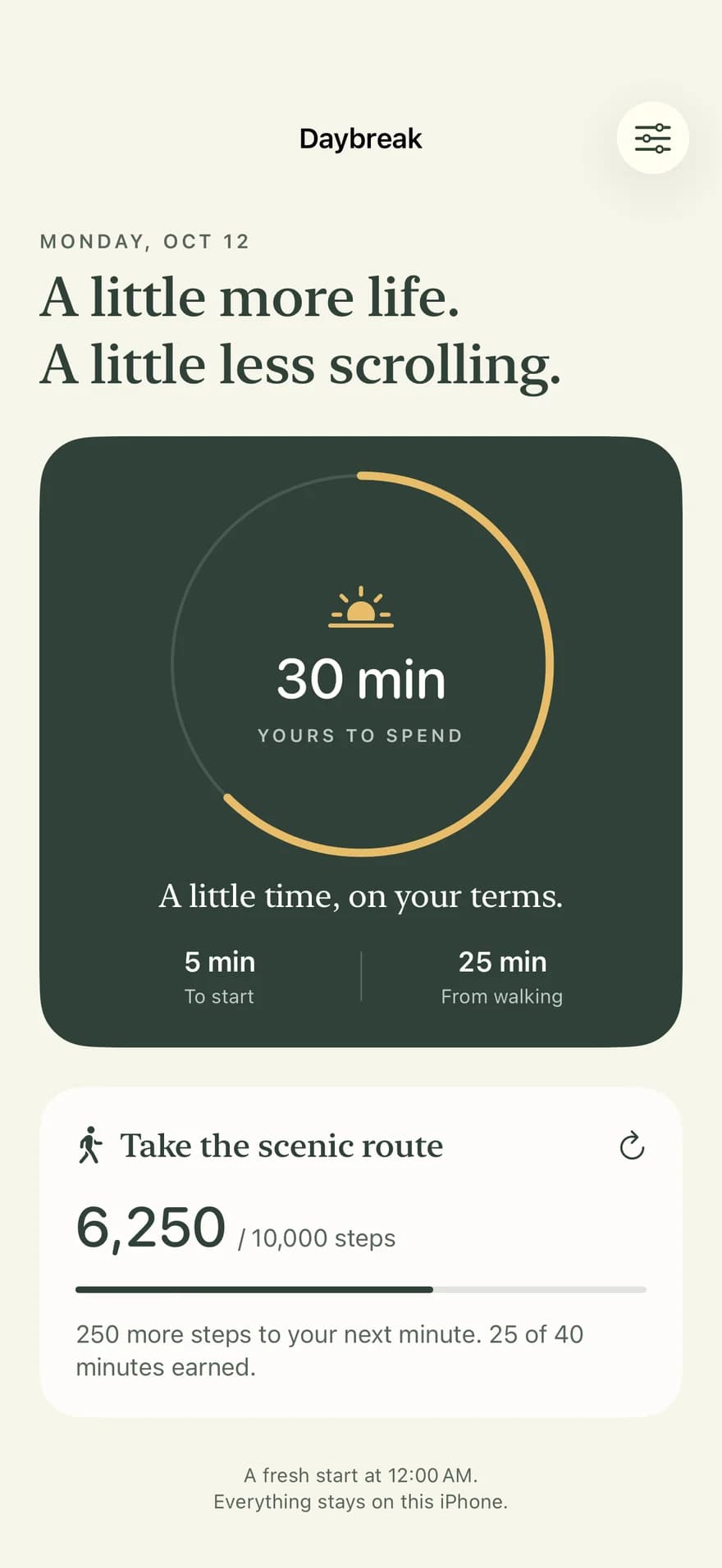
You don’t have to give up your favorite apps. Just give your next session a little purpose.
Pick the apps, categories or websites you want to use more intentionally. They share one allowance.
Connect Steps in Apple Health. Earn minutes along the way, without waiting to finish your whole goal.
Open a chosen app and start a short session from its blocking screen. When time is up, it pauses again.
A trip around the block. The long way home. A catch-up with a friend. Daybreak gives those everyday steps a little extra value.
Choose your starting minutes, walking reward and step goal. Set your daily reset for the time that suits your routine.
A closer look at how it worksThis example starts with 5 minutes and earns up to 40 more. In Daybreak, you choose your own allowance and goal.
Adjust your plan as you go. Changing your reset time keeps your current balance until the next reset.
No account, ads or third-party analytics in the app. Daybreak reads only Steps from Apple Health and doesn’t upload your data.
Read the privacy policy ↗Yes. A session uses elapsed time, even if you switch apps or lock your phone. End it early in Daybreak to return unused time to your balance.
No. You earn whole minutes as you walk, up to the maximum reward you choose. With the default plan, every 250 steps earns one minute.
Opening Daybreak refreshes your steps. Background updates follow Apple’s schedule. Your allowance and step progress reset together at your chosen local time; unused minutes don’t carry over.
Install Apple’s TestFlight app, then open the Daybreak invitation on your iPhone. The beta currently has limited spots. If it’s full, get in touch.
For iPhone · Screen Time and optional Apple Health access